






 Jessica Lantz
What’s New in August: Depth for complex clients, and more ways to make plans client-ready
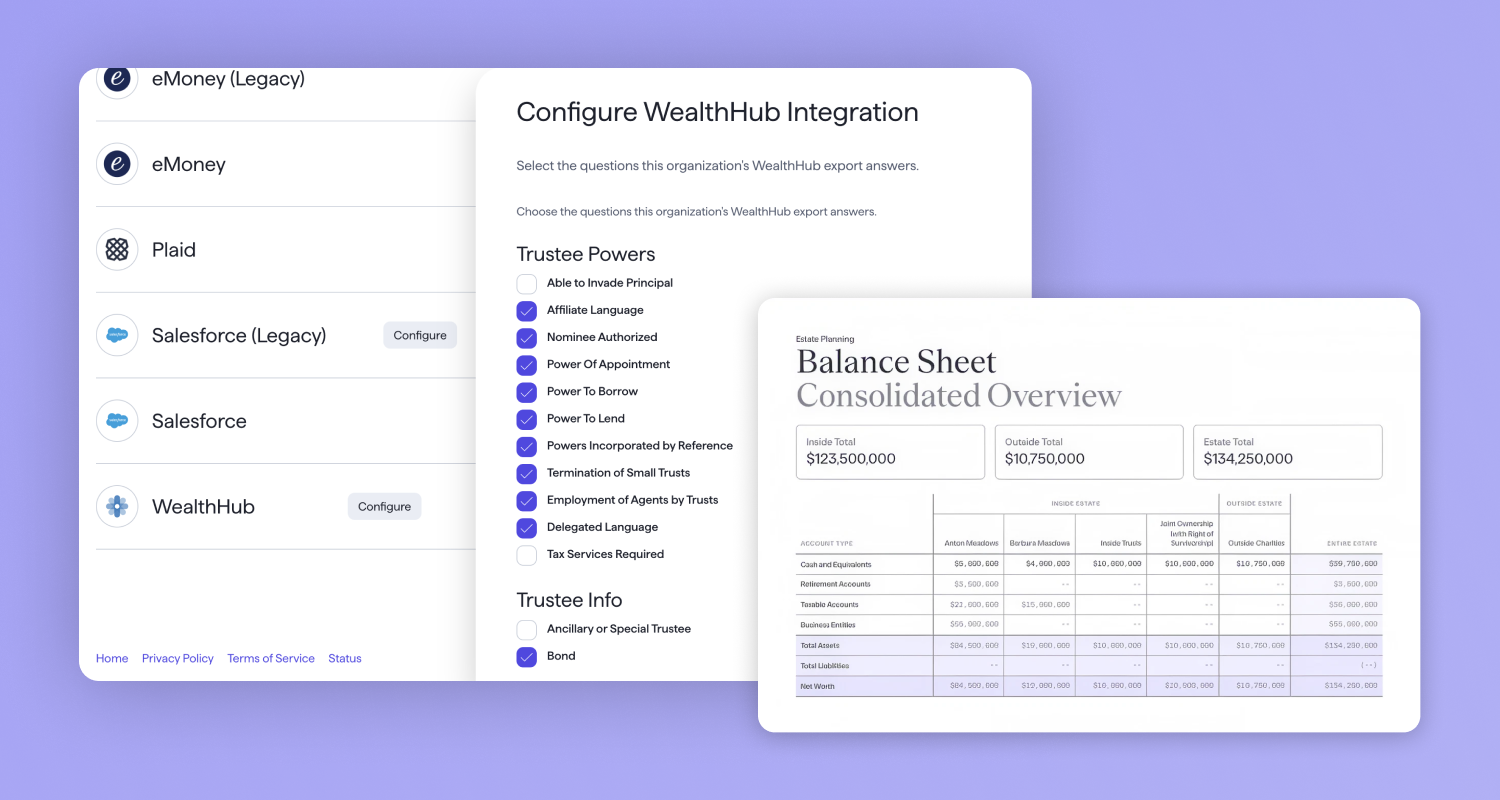
August’s release adds real depth for your most complex clients, and gives you more ways to turn planning work into something tangible you can hand across the table. Here’s what shipped, and what’s coming next.
Confidence at every client conversation
Model your most sophisticated estate plans in one place
The challenge: For high-net-worth and ultra-high-net-worth clients, sophisticated plans often fund subtrusts based on remaining Generation-Skipping Transfer (GST) exemption. Calculating that by hand, and redoing it every time assets or assumptions change, is slow and easy to get wrong.
The solution:
- GST exemption as a funding option: Fund subtrusts using remaining GST exemption alongside the federal and state exemption options you already rely on. The calculation updates automatically as the plan changes.
- Automatic GST allocation: Vanilla allocates available GST exemption across subtrusts and labels each one GST-exempt, non-exempt, or partially exempt, right on the Estate Diagram and Waterfall.
- Transparent and consistent: These calculations work the same way as your existing exemption-based funding, so there’s nothing new to learn or explain differently to clients.
This is a foundational step toward modeling the full multi-generational tax picture in Vanilla, right where you already plan, instead of calculating it manually on the side. GST exemption funding is now generally available after a successful beta.
Put your client’s full lifetime gifting history on the record
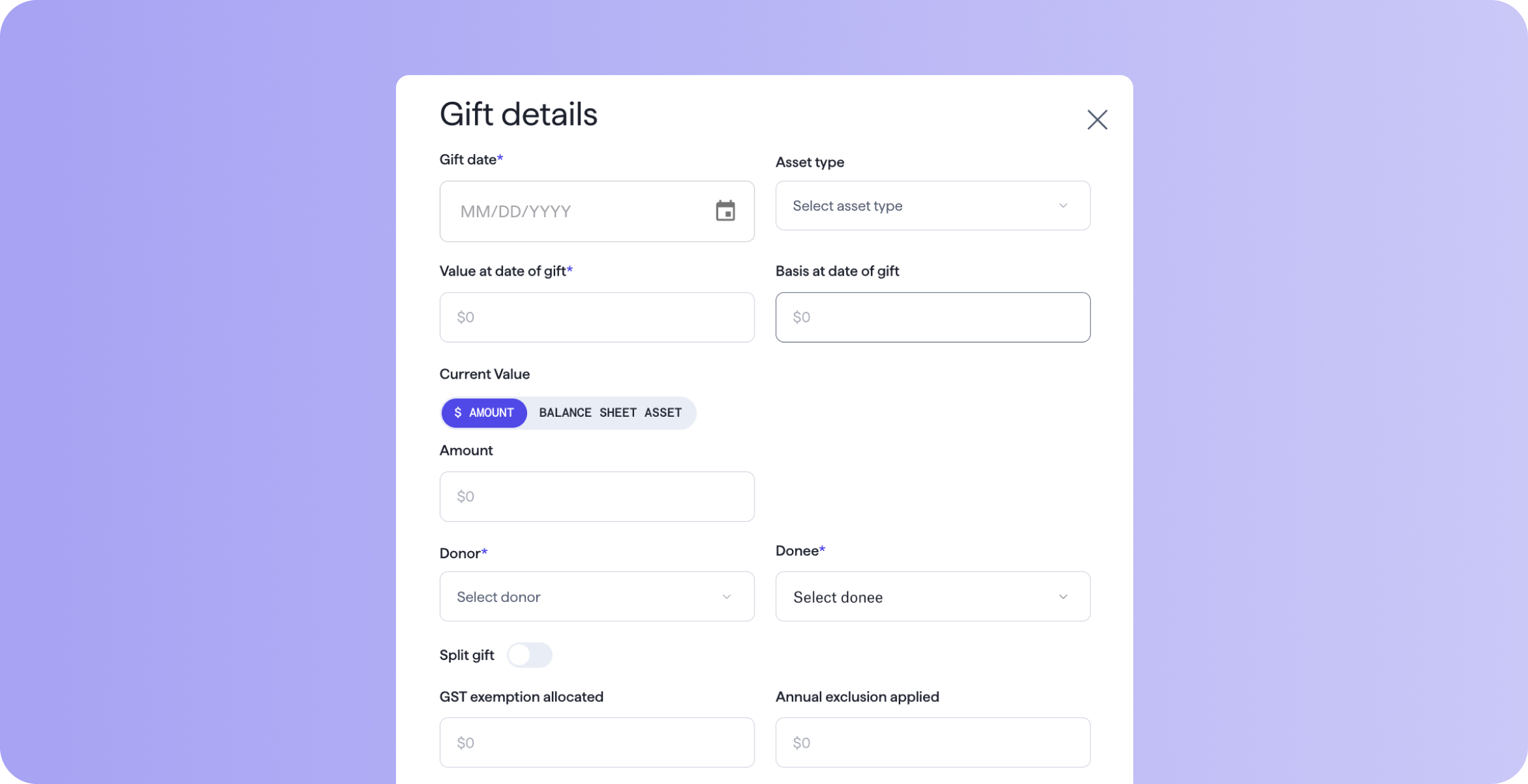
The challenge: For clients who’ve been gifting for years, that history usually lives in a spreadsheet or a CPA’s file. Each review means reassembling it by hand, and the plan you show a client doesn’t include the gifts that shaped it.
The solution:
- A single source of truth: Record every gift directly on the estate plan. Vanilla calculates the exemption used, the current value, and the estimated tax savings automatically.
- Find exactly what you need: Filter by donor, donee, or gift year.
- One deliverable: Include the full gifting history in the client report, so the plan and what’s already been given away live in the same place.
When a client asks how much they’ve gifted to charity or a grandchild, the answer is already in Vanilla.
Turn every calculator result into something you can hand to a client
The challenge: Running a calculation for a client is only half the job. Turning that result into something sharable means recreating it manually, since a calculator session lives separately from the PDF report.
The solution:
- A new, dedicated PDF page: Save any calculator result and include it as a page in your client report.
- Include multiple planning ideas: Save multiple runs of the same calculator, like a high-expense and low-expense life insurance scenario, and choose which ones go into a given report.
- Easy to find later: Name each run so it’s straightforward to find and reference again.
Every calculation you run now has a place to land, and a client meeting can end with something tangible already in hand.
Show clients exactly what changes for beneficiaries in each scenario
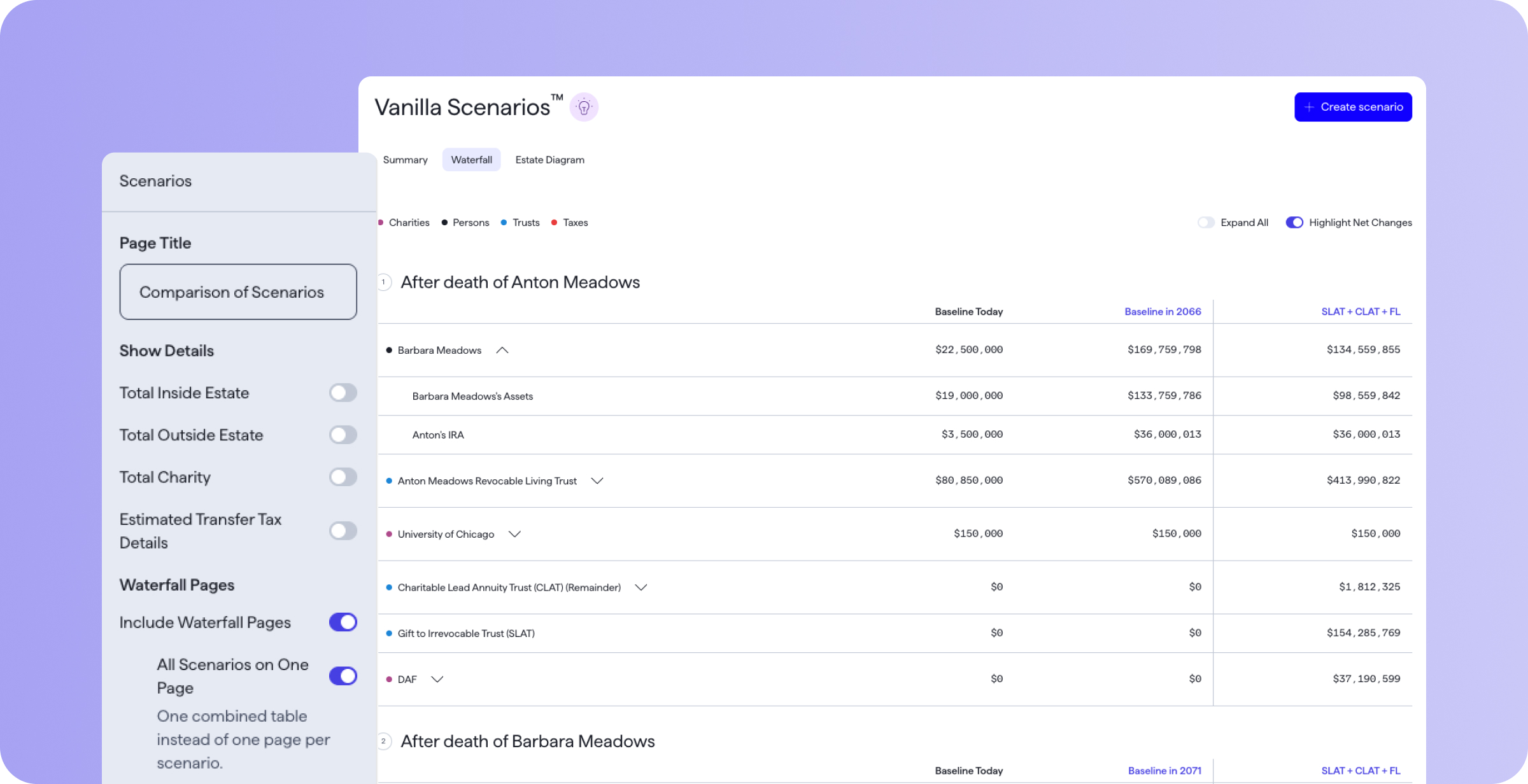
The challenge: Walking a client through what changes under a new strategy means explaining who gets what, and the underlying details behind that outcome.
The solution:
- See full distribution detail: Expand any row, or all of them at once, for each beneficiary on the Scenarios Waterfall display.
- Bring it into the report: Include Scenario Waterfall pages in your client report, from a single summary page to a full comparison behind every Scenario.
- Control how much you show: Decide how much detail to include, from compact totals view to a fully expanded breakdown.
Now the strategy conversation and the client deliverable use the same Waterfall. Walk clients through exactly what a SLAT, a gifting plan, or a move to a new state means for each beneficiary, straight from the same page you built the plan on.
Faster to the moments that matter
Show the whole estate, inside and out, on a single client-ready page
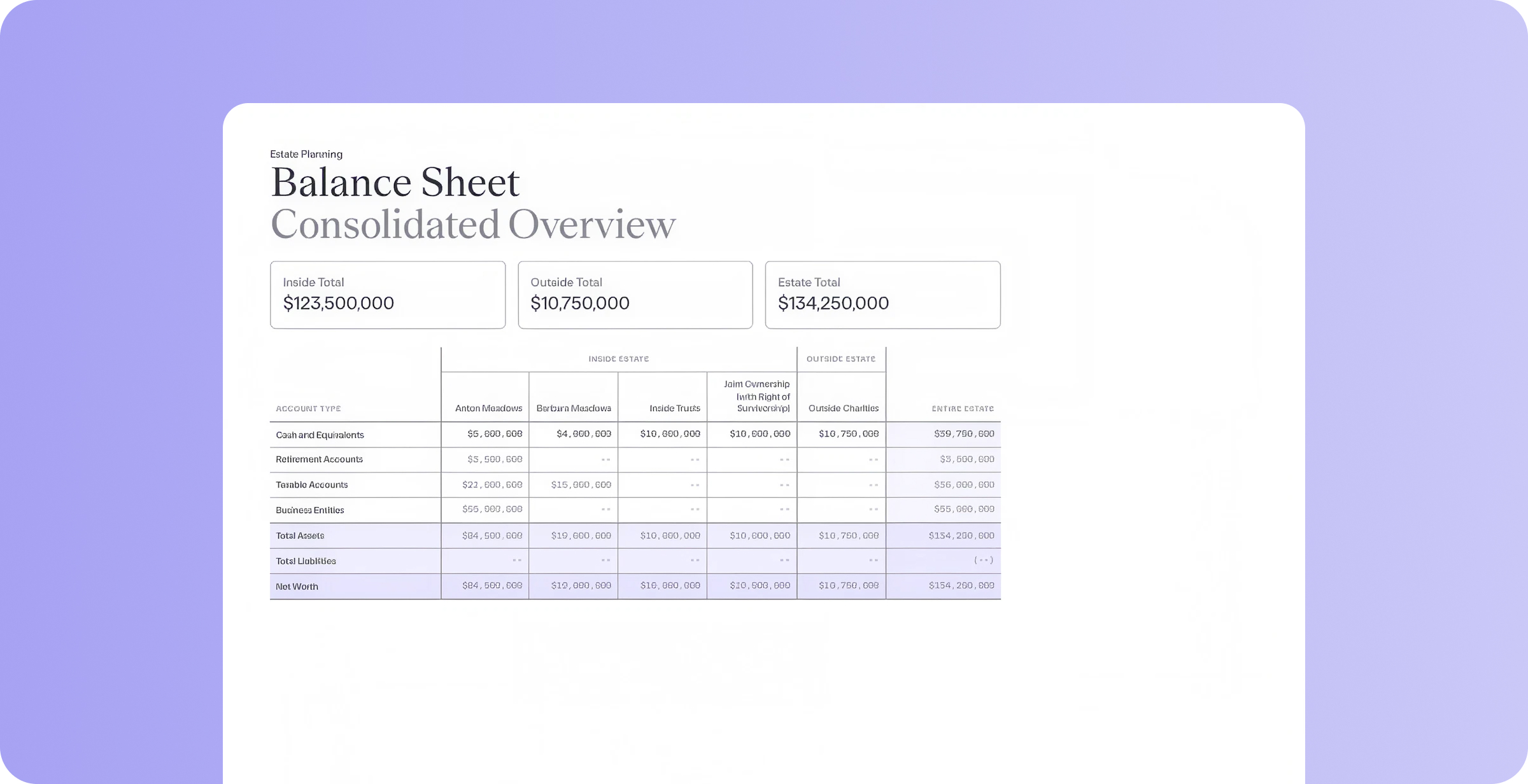
The challenge: When you’re preparing to share information from a client’s Balance Sheet, you’re often choosing between a full export listing every account and asset, or a high-level summary that skips the breakdown by owner. Neither gives a client a single page showing the whole estate at a glance.
The solution:
- Everything in one view: A new Balance Sheet option for the PDF report displays inside and outside the estate side by side, on one page.
- Totals at every level: See category-level totals for each side, plus a combined total for the entire estate.
- Switch views anytime: Choose Account or Asset view, and turn the page on or off per report.
With this new client-ready view, you can easily share a summary of the whole estate, at the level of detail each client conversation calls for.
Take the guesswork out of a family’s hardest moments
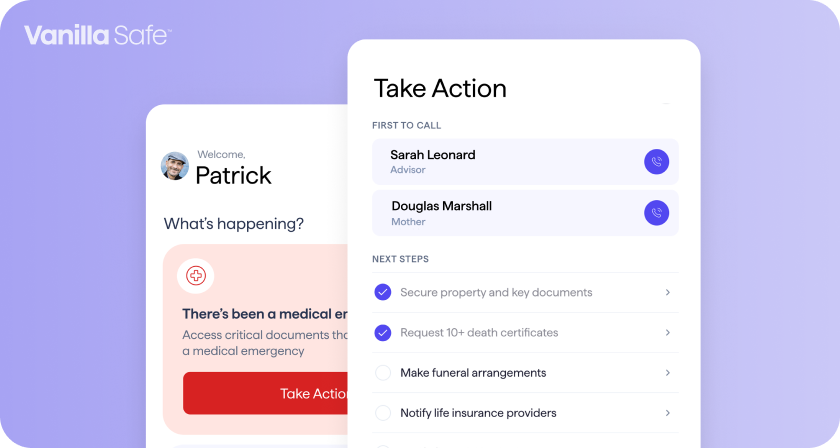
The challenge: When something happens to a client, whoever manages the family’s affairs is often the only one who knows where the key documents are, who to call, or what to do next. If that person isn’t available, the rest of the family is left to piece it together on their own, often during the hardest moment of their lives.
The solution:
- Access a secure place for everything that matters: Vanilla Safe gives each client family a dedicated space for key documents, first-call contacts, and account information, all encrypted and accessible to the right family members when they need it.
- Receive guidance built for the moment: State-specific, step-by-step instructions walk a family through exactly what to do during a medical emergency, a death, or urgent document access, so no one is left guessing what comes next.
- Set up in one click, powered by data you already have: Account information pre-populates automatically from Vanilla, so there’s no duplicate entry for you or your client.
Vanilla Safe deepens your relationship with a client’s entire family, not just the person you work with directly, and gives them real peace of mind long before they’d ever need to use it. Vanilla Safe is now open in beta for advisors on the Vanilla platform, with general availability coming soon. Learn more and request beta access. Spots are limited.
Coming Soon
WealthHub export
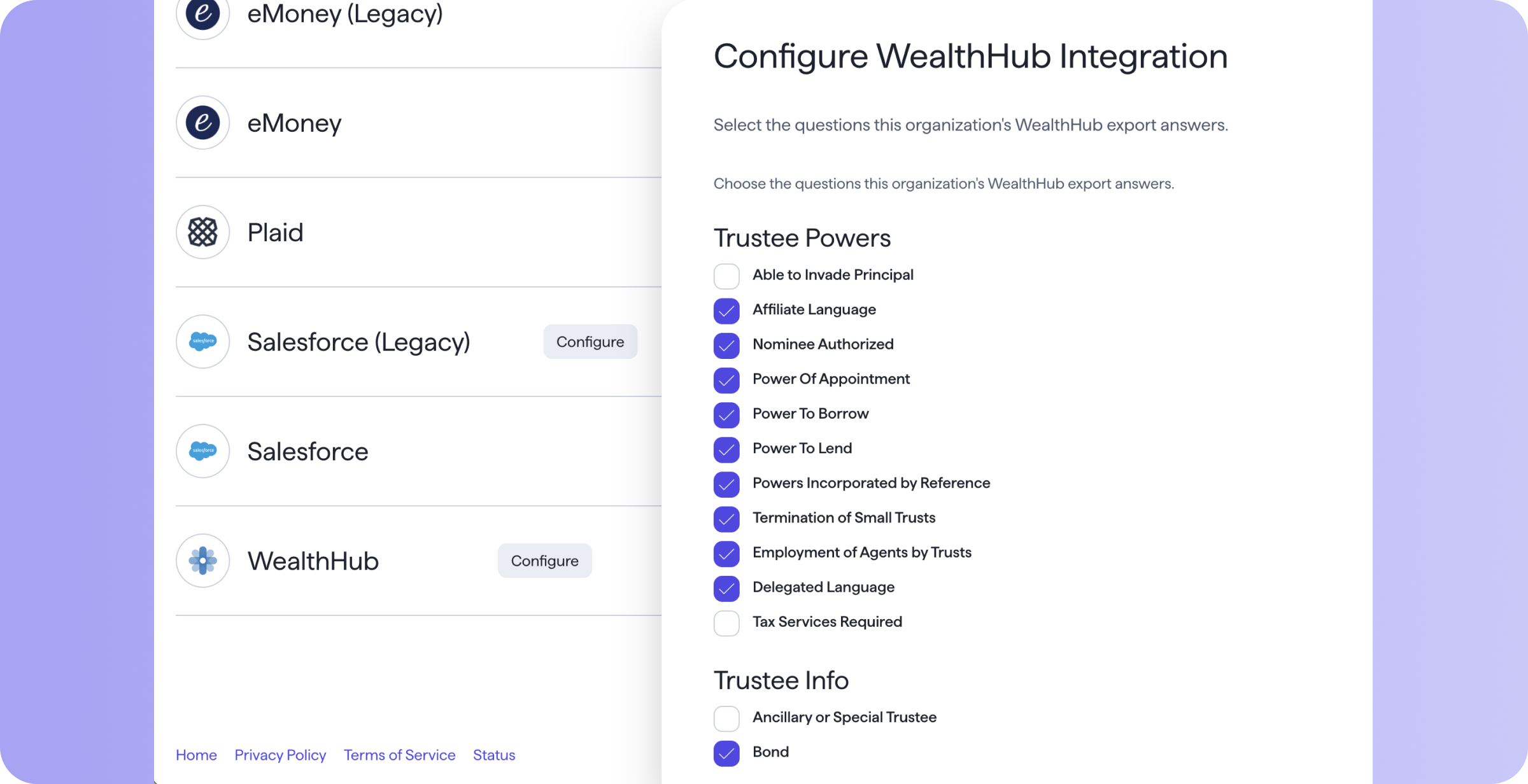
If your organization uses WealthHub, V/AI’s analysis of a trust document will soon export into a file WealthHub can use to automatically populate its review fields. A compliance review that used to take hours moves much faster with AI doing the first pass. Every answer stays cited back to the source document, and you review each one before it goes to WealthHub, so accuracy stays in your hands.
Custom color charts
Soon, you’ll be able to set a custom color palette for every chart and diagram in Vanilla. Report text and design elements are already brandable; this extends that same control to charts and diagrams, so your organization’s colors show up consistently across the app and in every report.
Already a Vanilla customer? Reach out to our CSM team to see these features in action. Exploring Vanilla for the first time? Schedule a demo.
Note that all unpublished features and enhancements mentioned are subject to change in both content and timeline without notice. Vanilla reserves the right to modify or cancel roadmap items at any time.
Published: Aug 26, 2026
Holistic wealth management starts here
Join thousands of advisors who use Vanilla to transform their service offering and accelerate revenue growth.